Panel tank designis done in minutes.
WaterForm is design software for bolted panel water tanks. Enter the panel counts, click the connections onto the model and approve. The panel, bolt and gasket lists, the A0 drawing and the quote are ready.
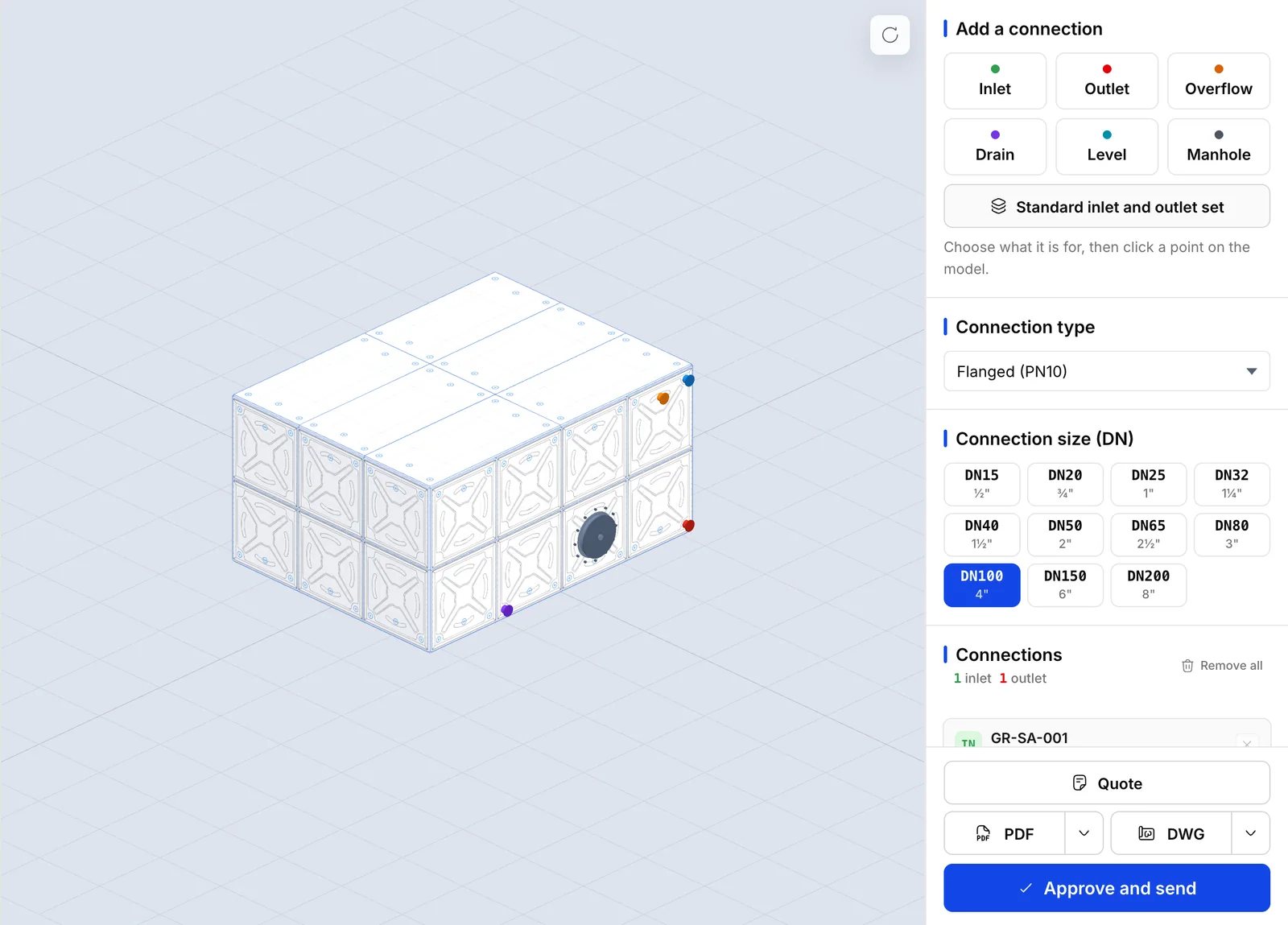
- Grid
- 4 × 3 × 2 panels
- Size
- 4.32 × 3.24 × 2.16 m
- Volume
- 30.2 m³
The drawing set comes out in three steps.
What used to be done separately in Excel, in AutoCAD and in a quote file is done here once. It all comes off the same model, so it all agrees.
- 01
Set the tank
Prismatic or cylindrical. Enter the panel count for length, width and height; half panels are fine. Choose the material, the base and the support.
- 02
Place the connections
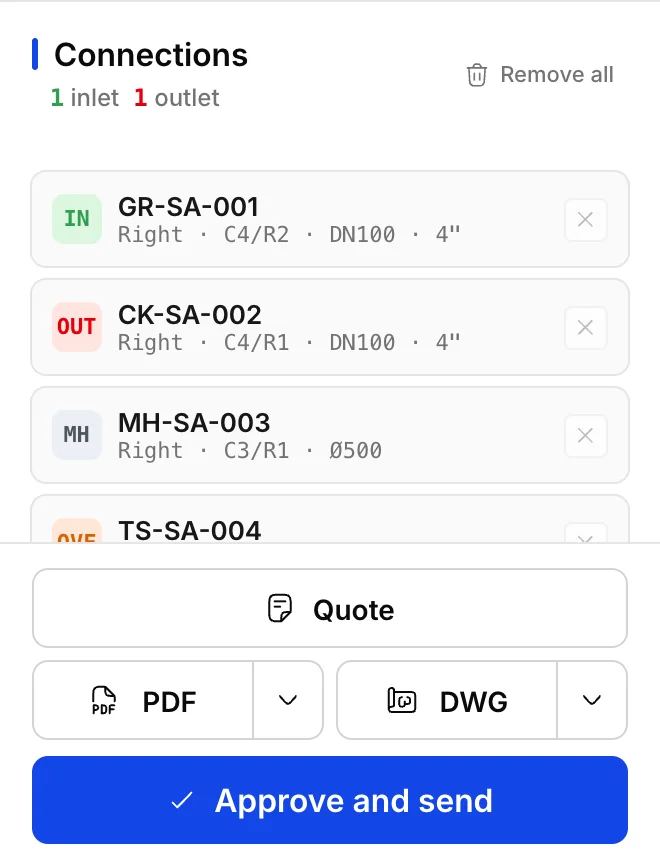
Click the model: inlet, outlet, overflow, drain, level, manway. Each gets its diameter and its number, and knows which panel it sits on.
- 03
Approve and take the outputs
Approve. The panel, bolt and gasket quantities are calculated at once. The A0 drawing, the DXF, the Excel and the technical quote are ready.
The software does the counting.
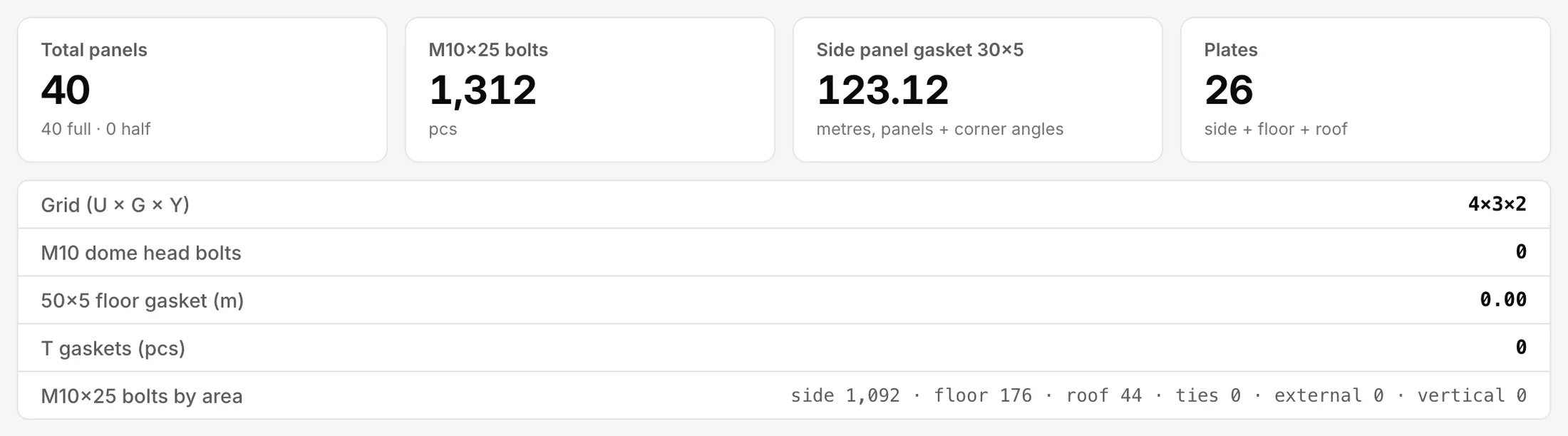
No estimate, no second spreadsheet. You approve the tank; the software counts the panels, the bolts and the gasket, metre by metre. The figures below are real, for one ordinary tank.
- Panels
- 40
- 40 full, 0 half
- Grid
- 4 × 3 × 2
- length × width × height
- M10×25 bolts
- 1,312
- sides 1,092, base 176, roof 44
- 30×5 side gasket
- 123.12 m
- panel and angle
- Volume
- 30.2 m³
- 30,233 litres
- Note
- One sample tank, 4.32 by 3.24 by 2.16 metres. The figures follow the panel type in your own catalogue, so yours will be your own.
The document carries your logo.
One approval, four documents. Every one of them with your title block and your logo. Your customer never sees our name.
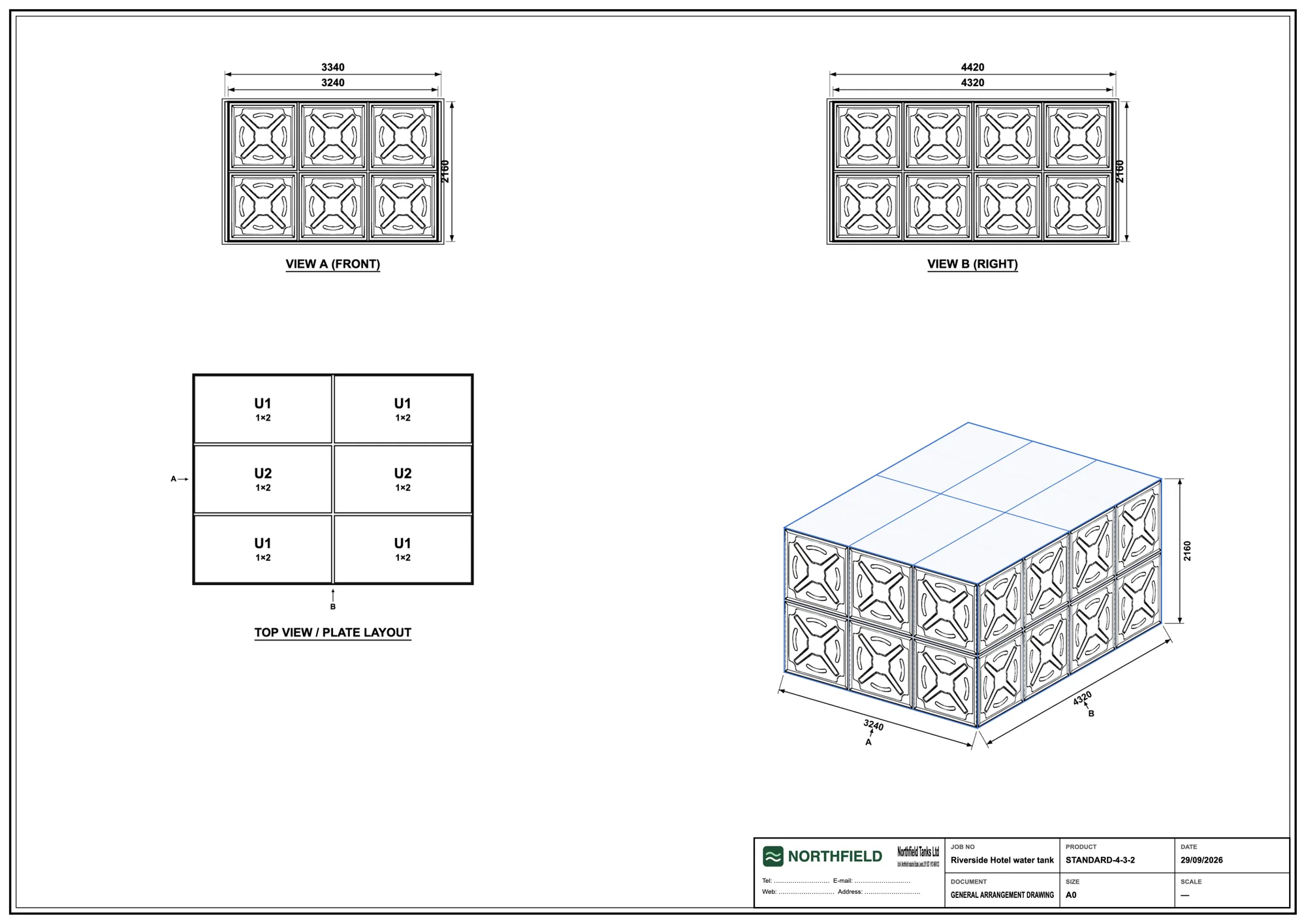

- A0 technical drawing
- PDF, four pages: front and side views, roof layout, dimensioned isometric
- DXF
- The drawing, opens in AutoCAD
- Excel analysis
- The quantities, in the Excel file you already use
- Technical quote
- Ready the moment the tank is drawn, not a week later
The software runs under your brand; our name is nowhere on it.
WaterForm is sold white-label. Your customer sees your drawing, your title block and your logo. There is no Fabrikode mark on anything that leaves your office.
Every output carries your brand.
Upload a logo and fill in a title block once. Every PDF the application produces carries them from then on.
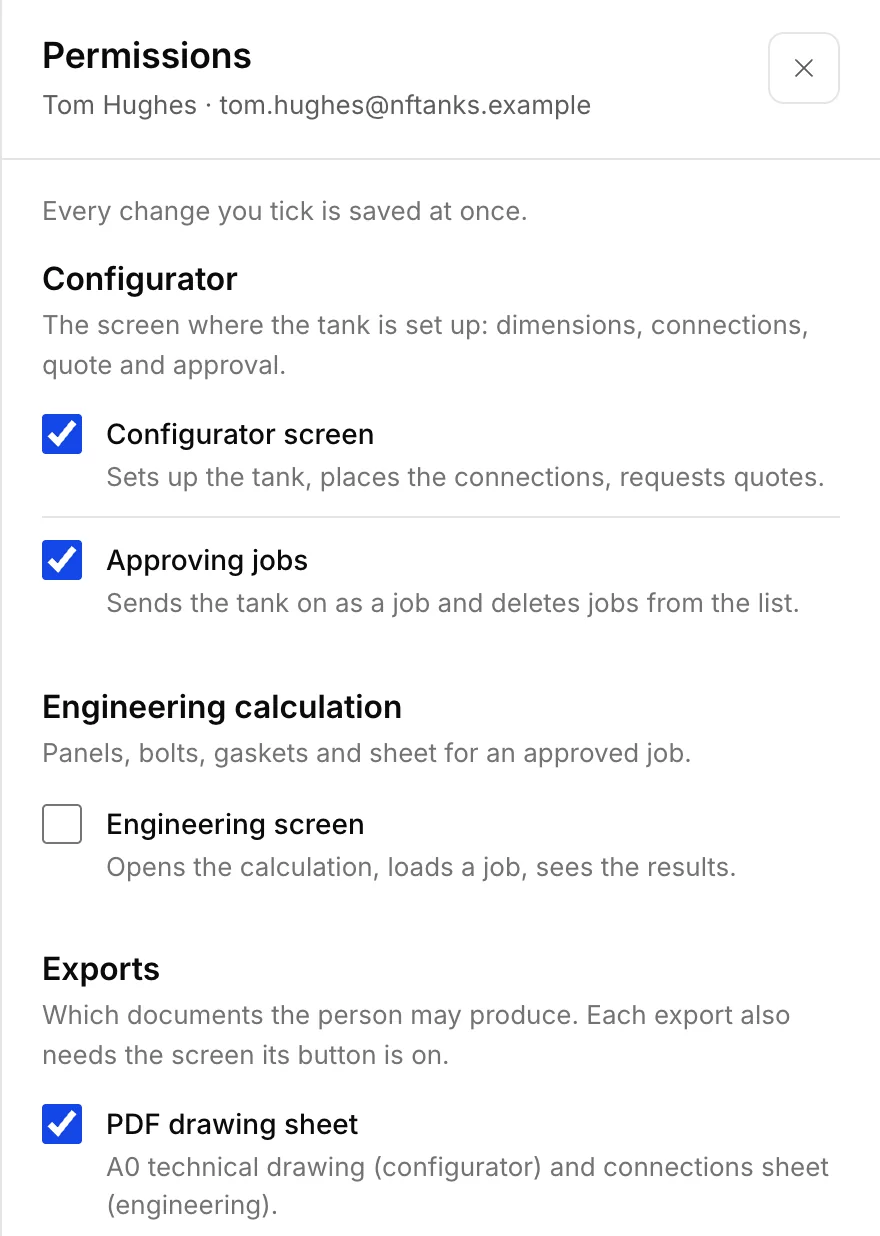
You decide who reaches what.
Add the engineers and the sales people who need it, and tick the sections each of them may open. Each account is one user licence and stays open on one computer at a time.
It works from your own catalogue.
Your panel types, their parameters and their parts, so the counts come out against the panel you actually press rather than a generic one.
Quote requests reach you
A request raised in the configurator is stored and announced to the addresses you list, either from our mail domain or from your own SMTP server.
It works in Turkish, English and German.
You choose the company's language once, and everyone in the company works in it. Every document comes out in that language, and you can take one in another language when a customer needs it.
Your data stays yours.
Each company's catalogue, jobs, branding and records are separated at every level. Ask for a full copy of them whenever you want one.
Already a customer?
Your company opens at app.waterform.fabrikode.com. Sign in with the address we set up for you.
Try it with your own tank.
Tell us who you are and what you build. We open a demo account for you, go through it with you once, and you take it from there. The form takes about a minute.
What the demo account holds
- Your own account
- 3 users
- Saved jobs
- 5
- Sample catalogue
- included
- Real PDF output
- DEMO stamped
- Costs
- none
Someone from our team usually gets back to you within 24 hours, at most 3 working days. We do not pass your details to anyone and we do not add you to a mailing list.
What people ask us first.
- Does it run in the browser?
- Yes. There is nothing to install and nothing to keep updated on a workshop machine. If you prefer a window of its own, the desktop application opens the same account; its installers are on the downloads page.
- Whose name is on the drawings?
- Yours. You upload your logo and fill in your title block, and every PDF carries them. Fabrikode's name appears nowhere on anything you send a customer.
- Where is our data kept?
- On a server in Germany. Every company's catalogue, jobs, branding and records are separated from every other company's at each level of the application, not only on screen.
- Can we get our data out?
- Yes, as a full copy: your catalogue, your jobs, your settings and your records in a portable package. Ask us and we prepare it.
- Can it run on our own server?
- For an installation that has to stay inside your own network, we set that up per customer, on its own machine and its own address. Bring it up in the demo and we will tell you what it involves.
- How many people can use it?
- As many as you buy user licences for. An account stays open on one computer at a time; signing in somewhere else closes the first session.
- Which tanks does it cover?
- Bolted panel tanks, prismatic and cylindrical, on a 1080 mm panel with half panels allowed. Galvanised, hot dip galvanised, magnesium, SS304 and SS316, with the base and support type chosen per tank.
- Can we load our own panel types?
- Yes. Panel types, their parameters and their parts are your catalogue, so the bolt and gasket counts come out against the panel you actually press.
- What does it cost?
- It is priced per user licence, and we quote after the demo, once we know how many people and what you need. There is no card to enter and nothing starts charging by itself.